Stream Large Scale 3D Design Models
- Place output files from AVEVA E3D Design or AVEVA PDMS in the specified folder and they will be automatically detected and converted to files ready for streaming.
- Read and convert.ZGL files created by AVEVA’s 3D model gateways, in addition to. RVM file output from AVEVA E3D Design and AVEVA PDMS.
- Relies on AVEVA Asset Information Management to provide the required mapping of object IDs between AVEVA System Platform with AVEVA Operations Management Interface (OMI) and the 3D Model.
- Uses the AVEVA 3D visualization service to stream directly into the 3D Viewer OMI App.
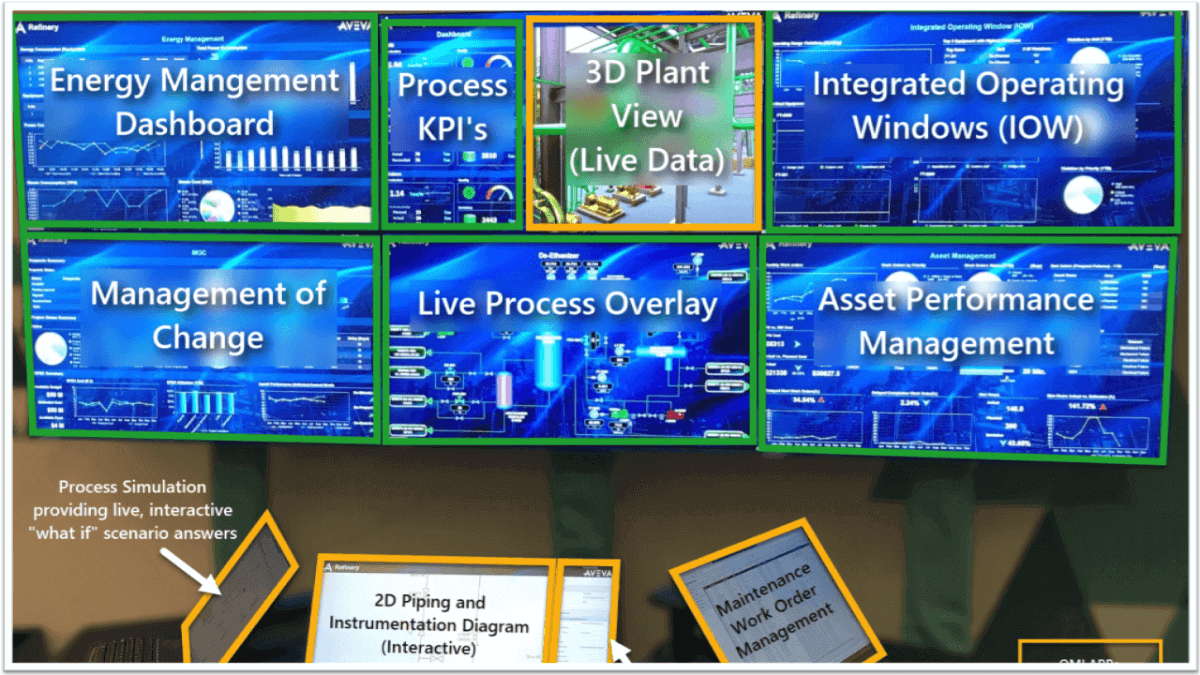
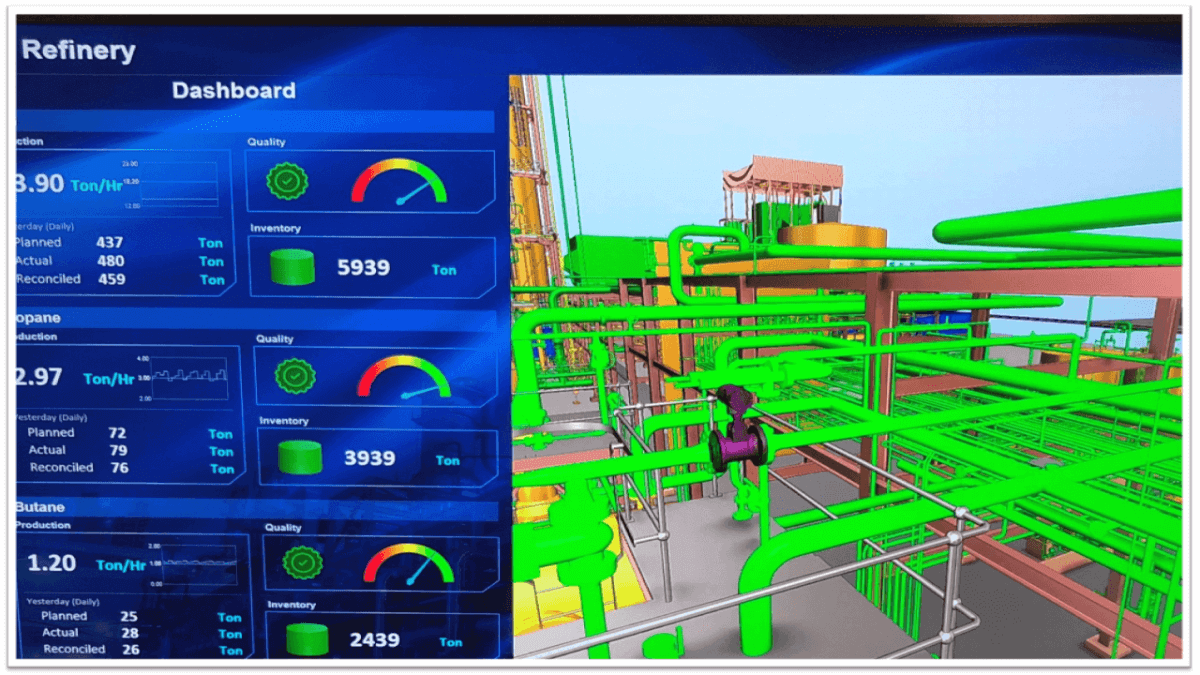
Follow OMI Context
- 3D models allow operators to more quickly and intuitively understand the context of alarms, alerts, and status changes, allowing them to visualize the impact of operational status information in the context of the surrounding asset.
- 3D App to OMI: Show current OMI context when a 3D Object (tag) is selected in the 3D Viewer OMI App.
- OMI to 3D App: Under the right conditions, if the OMI context changes for an object, the corresponding 3D view is changed enabling you to zoom and highlight that object.
Enhanced Tag Colors Extension
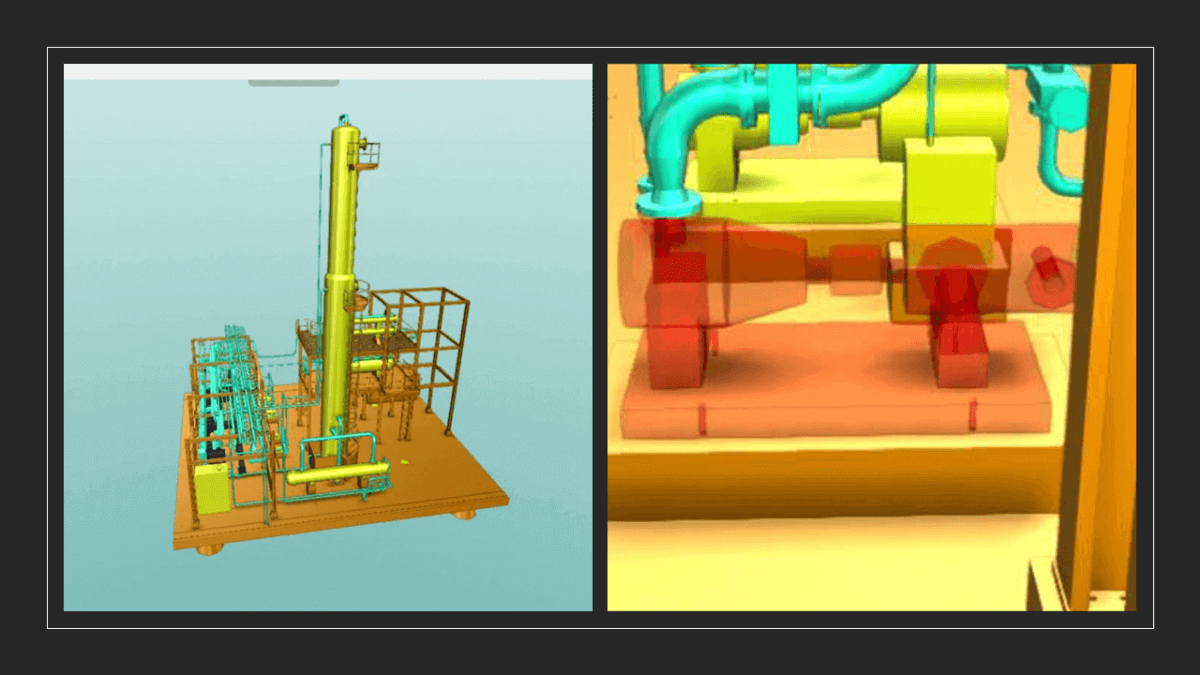
- The Tag Colors property can be used to set the display color of one or more objects in the 3D scene.
- Allows multiple tag-color groupings in a single cell and accepts alpha values for the setting of translucent materials
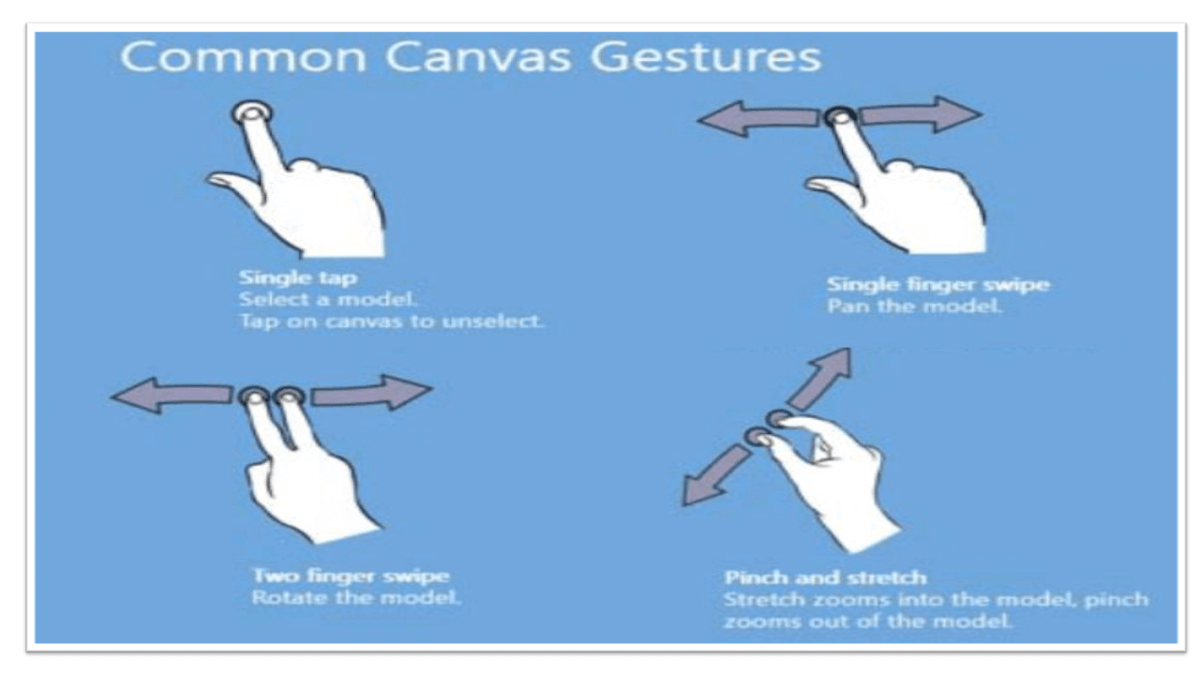
Pan, Zoom and Rotate
Advanced functionality that provides users with multiple navigation options using touch or a windows mouse
Specifications
Type
Developer Tools
Optimized Scenario
Render 3D models of assets contextually in AVEVA System Platform with AVEVA Operations Management Interface (OMI)
Available on
PC
Languages
English
System Requirements
AVEVA Asset Information Management Workhub and Dashboard 5.1.5 or above
AVEVA System Platform 2017 update 3 or above

AVEVA Group Limited
AVEVA creates industrial software that inspires people to shape the future. We believe industry advancement should enhance the human experience.
Related Products
AVEVA™ File Viewer OMI App
With these four OMI Apps you can bring documents, images, and spreadsheets into your AVEVA Operations Management Interface (OMI) applications that will automatically change as the user navigates to different assets.
GISIZE - GEOSpatial OMI App
A native application for InTouch OMI to integrate GISIZE GEOSPATIAL software in an easy and fast way.
AVEVA™ Historical Trend OMI App
Add a rich set of capabilities for run-time and historical trending within AVEVA Operations Management Interface (OMI) with little effort to implement through global configuration.
AVEVA™ Recipe Management OMI App
Integrate Recipe Management into your AVEVA Operations Management Interface (OMI) view for complete oversight of governance functionality, versioning, approvals, and execution history.
AVEVA™ NET DocumentViewer OMI App
View and open 2D documents of a selected tag that are available from AVEVA Asset Information Management within AVEVA Operations Management Interface (OMI).
Related Services
AVEVA™ InTouch HMI - Conversion Service
Drive your AVEVA InTouch HMI classic applications into the future
Code-Free Custom Drivers for AVEVA
Connect scanners, printers, scales, sensors and more for easier digital transformations with AVEVA systems.
EVANS Control Room Expertise Services
Manufacturer of control room consoles, technical furniture, and security rooms. Discover your next console and control room solutions with Evans.
INDEFF Expertise Services
Services to make your processes run as smoothly as possible with tailor-made solutions, solution packages, consultancy and support. We’ll do whatever it takes to achieve your goals.


