See Tag Related AVEVA Asset Information Management 2D Documents
- Assets in AVEVA System Platform can refer to tags also present in AVEVA Asset Information Management.
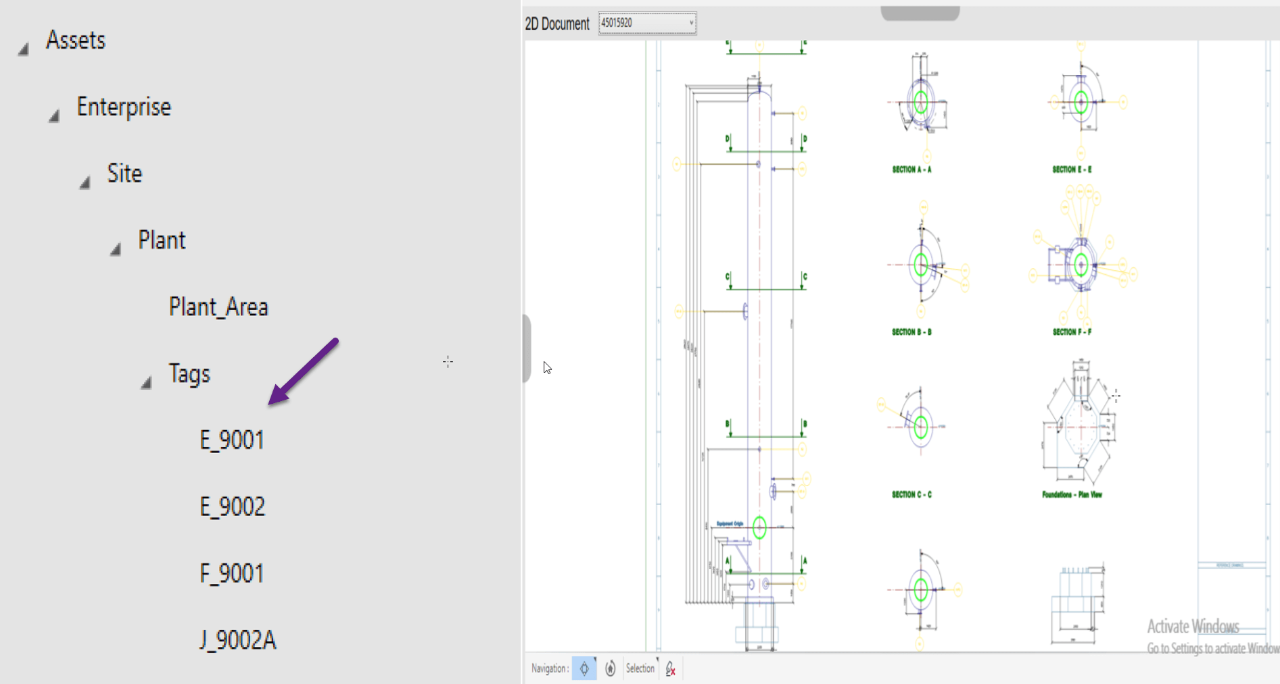
- The DocumentViewer OMI App displays related 2D documents within AVEVA Operations Management Interface (OMI) when an asset is selected. For example: E_9001 in the graphic to the right.
Companion App's
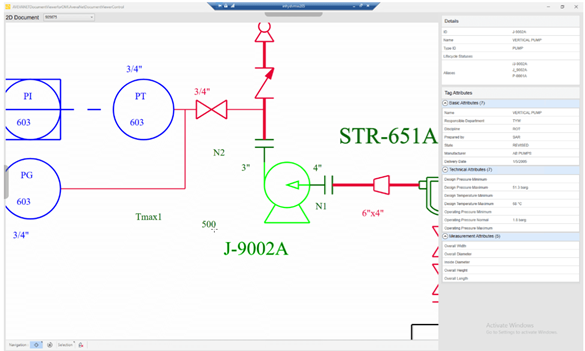
- The DataViewer OMI App is a companion of the DocumentViewer OMI App and enables you to view the selected tag details and tag attributes that are available in AVEVA Asset Information Management.
- Configure one App in the main OMI pane with the other App as context in a slide-in pane, as depicted in the graphic to the left.
Automatic Sync
- If an item is selected in the DocumentViewer OMI App and a tag corresponding to it is present in the AVEVA System Platform model, the AVEVA Operations Management Interface (OMI) context becomes the selected tag.
- If the OMI context changes for an object, the corresponding view in the DocumentViewer OMI App is also changed enabling you to zoom and highlight that object.

Specifications
Type
Developer Tools
Optimized Scenario
View selected tag details and tag attributes available from AVEVA Asset Information Management within AVEVA Operations Management Interface (OMI).
Available on
PC
Languages
English
System Requirements
AVEVA Asset Information Management Workhub and
Dashboard 5.1.6 or above
AVEVA System Platform 2017 Update 3 or above

AVEVA Group Limited
AVEVA creates industrial software that inspires people to shape the future. We believe industry advancement should enhance the human experience.
Related Products
AVEVA™ Remote Response Objects
Monitor alarm conditions in System Platform and send notifications to the required personnel by email or SMS.
AVEVA™ NET DataViewer OMI App
View selected tag details and tag attributes available from AVEVA Asset Information Management within AVEVA Operations Management Interface (OMI).
AVEVA™ PLC Viewer OMI App
View a current asset’s PLC control logic with real-time logic animation.
3D Viewer OMI App
Deliver 3D model visualization capability into AVEVA Operations Management Interface (OMI) for the spatial and situational context of an asset's operational status.
AVEVA™ File Viewer OMI App
With these four OMI Apps you can bring documents, images, and spreadsheets into your AVEVA Operations Management Interface (OMI) applications that will automatically change as the user navigates to different assets.
AVEVA™ Video Viewer OMI App
Display a pre-recorded video within a pane of an AVEVA Operations Management Interface (OMI) application with functionality like viewing a video on a web page.


