Follow Current Context
- Users can navigate PLC logic in an OMI App to identify problem areas, investigate abnormal behavior, diagnose fault conditions, and identify interlocks that would otherwise require access to the PLC programming software.
- Handles multiple programs simultaneously
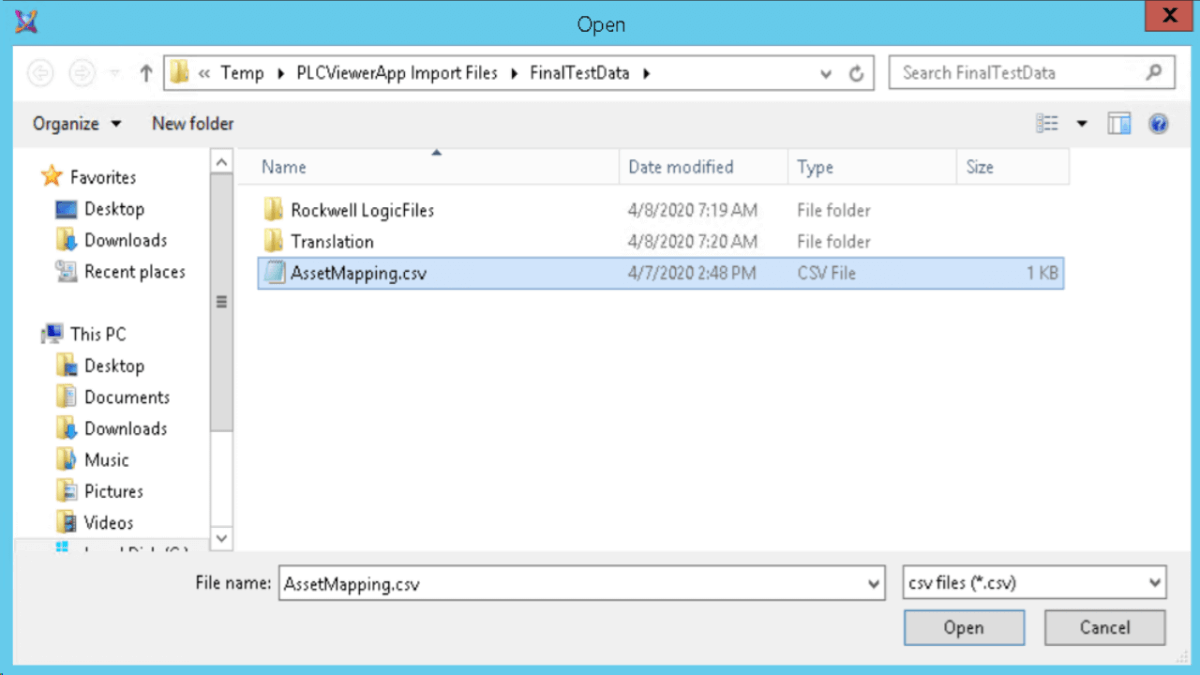
Asset Mapping
- Provision for an asset naming map to translate names in the System Platform namespace to tag names in each PLC if the names are different
- An asset mapping file contains a list of assets that represent physical objects like a pump or a valve in your production environment that are monitored and managed by a running OMI application.
- For example, you have asset Pump001 and your PLC environment contains multiple controllers with the tag PMP001 - You can add a map for Pump001 that searches controller PLC01 for the tag PMP001.
Supported Controllers & Languages
- Support for Rockwell Series 5000 controllers
- Supports Siemens SIMATIC
- Support for Schneider Electric Unity Pro and EcoStruxure™ Control Expert
- Additional language support:
- Sequential Function Chart (SFC)
- Function Block Diagrams (FBD)
- Structured Text (ST)
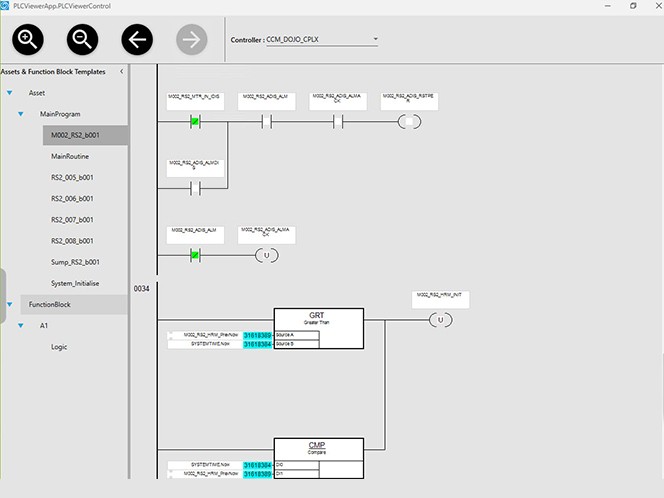
Expand and Explore with Flyover Help
- Scroll around and explore the code as required
- An optional tree view will visualize the entire PLC namespace and allow the user to explore further.
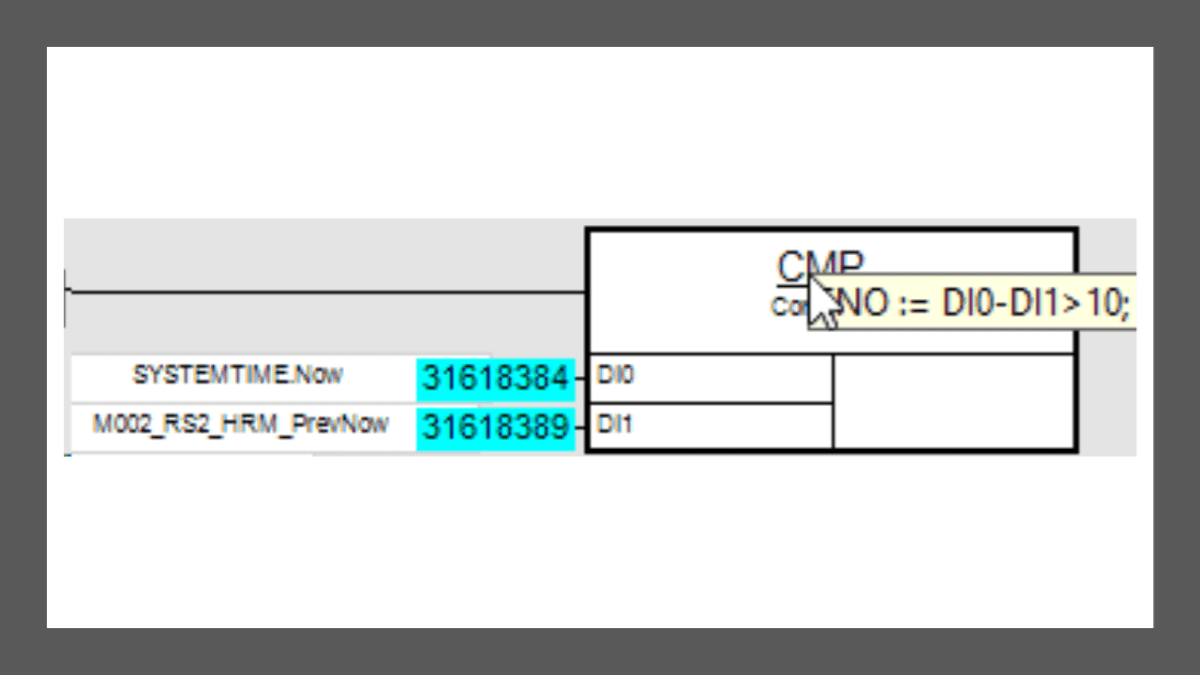
- The PLC Viewer OMI App includes a system of flyover help, which is shown by hovering your mouse directly over a function block to show the asset identifier associated with the block.
- The flyover help can also show embedded Rockwell Compute expressions by hovering the mouse over a compute block title.
Specifications
Type
Developer Tools
Optimized Scenario
The PLC Viewer OMI App provides a view within a layout pane to easily identify the current control states of a PLC while an OMI Application is running.
Available on
PC
Languages
English
System Requirements
AVEVA System Platform 2017 Update 3 Service Pack 1, or more current version

AVEVA Group Limited
AVEVA creates industrial software that inspires people to shape the future. We believe industry advancement should enhance the human experience.
Related Products
AVEVA System Platform, formerly Wonderware
Contextualize operations with responsive, standards-driven, and scalable software for deploying advanced SCADA, MES, and IIoT. Unify people, processes, and assets.
AVEVA™ Insight OMI App
Bring the value of AVEVA Insight’s artificial intelligence engine into the control room. Automatically detect anomalies in your data and present this in a context-aware view for your operations team.
AVEVA™ Scheduler OMI App
Automate scheduling process parameters and configure operational schedules for a supported subsystem such as the Street Lighting System of an Integrated Building Management System.
AVEVA™ File Viewer OMI App
With these four OMI Apps you can bring documents, images, and spreadsheets into your AVEVA Operations Management Interface (OMI) applications that will automatically change as the user navigates to different assets.
GISIZE - GEOSpatial OMI App
A native application for InTouch OMI to integrate GISIZE GEOSPATIAL software in an easy and fast way.
AVEVA™ ScreenCaptureAndPrint OMI App
Capture and print a single or multi-monitor screen from AVEVA Operations Management Interface (OMI) applications.
Related Services
AVEVA™ InTouch HMI - Conversion Service
Drive your AVEVA InTouch HMI classic applications into the future
EVANS Control Room Expertise Services
Manufacturer of control room consoles, technical furniture, and security rooms. Discover your next console and control room solutions with Evans.
SCADA Health Audit
A dashboard, list, and formal write-up documenting the state of your SCADA system. SCADA reliability affects production.


